This function can be performed by council administrators only.
Licence types can be adjusted on licence application records where the final licence has not yet been issued.
Property settings
- Retrieve the property requiring a change in licence type
- Go to ‘Settings’
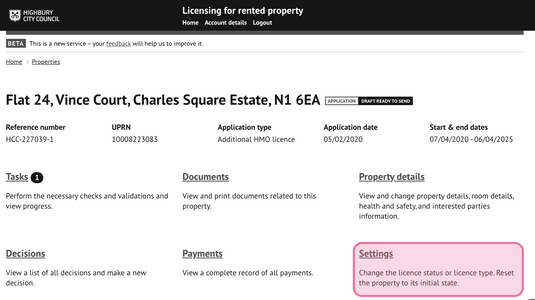
Select 'Change licence type'
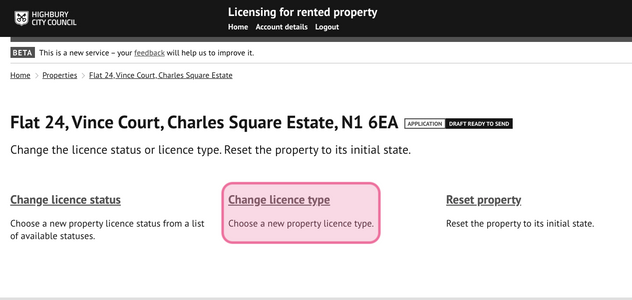
Choose a new licence type
The current licence type will be displayed in addition to the new licence type options available.
No options will be displayed if the final licence has already been issued.
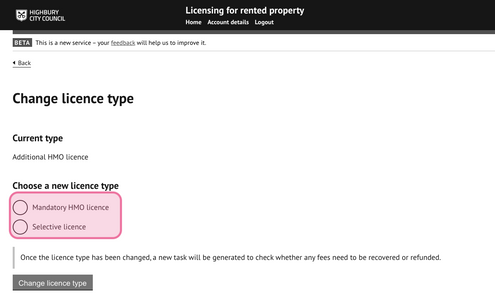
- Choose a new licence type.
- Pressing ‘change licence type’ will apply the change to the licence record.
Additional Fees
A new task will be generated to check if any additional fees are owed or
require refunding for differences in fee values between licence types.
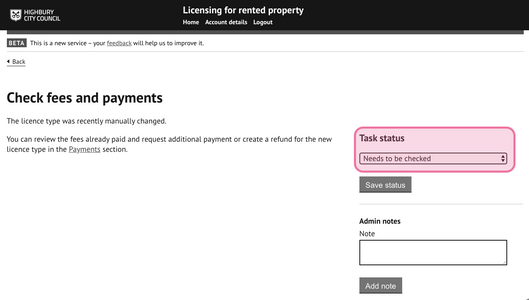
Review and update the task once:
- the payment has been received or
- if no additional fees are required.
Was this article helpful?
That’s Great!
Thank you for your feedback
Sorry! We couldn't be helpful
Thank you for your feedback
Feedback sent
We appreciate your effort and will try to fix the article