This function can be performed by council administrators and allows certain record statuses to be changed. Further statuses change functions will be introduced in future.
- FROM: Draft sent > TO: draft ready to send
- FROM: Final ready to send > TO: draft ready to send
- FROM: licence issued > TO: draft ready to send
- FROM: licence issued > TO: final ready to send
Property settings
- Select the property you wish to change status.
- Go to settings
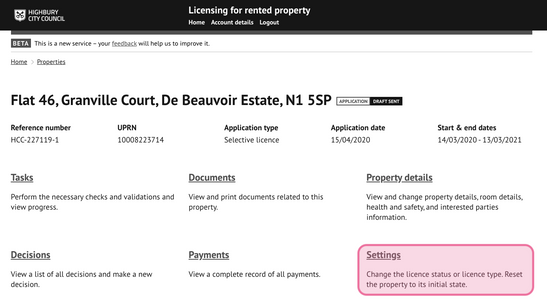
Select 'change licence status' from the list of options:
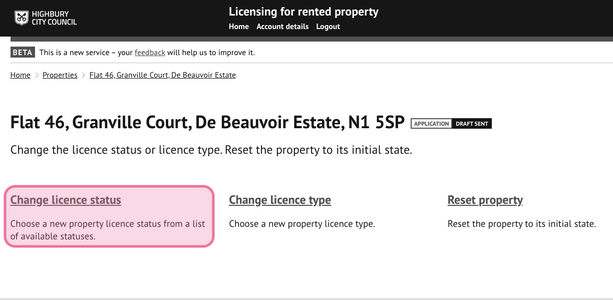
Choose a new status
Choose a status from the option(s) displayed.
Pressing finish will apply the status change to the licence record.
If a status change is not permitted for a licence record, no options will to be available.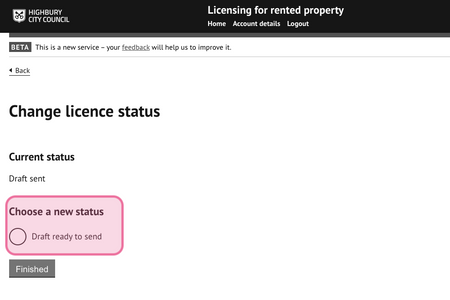
Was this article helpful?
That’s Great!
Thank you for your feedback
Sorry! We couldn't be helpful
Thank you for your feedback
Feedback sent
We appreciate your effort and will try to fix the article