Closure reasons can be used to record justification and reasons for closing service case records as well as recording certain outcomes specific to your authority.
Admin users can create and manage bespoke closure reasons for service cases.
- Setting location
- Create a new closure reason
- Edit an existing closure reason
- Archive closure reasons
- Restore or delete archived closure reasons
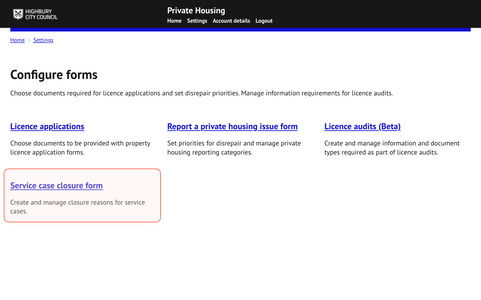
1. Setting location
The setting for this feature can be located via
Settings > Configure forms > Service case closure form
2. Create a new closure reason
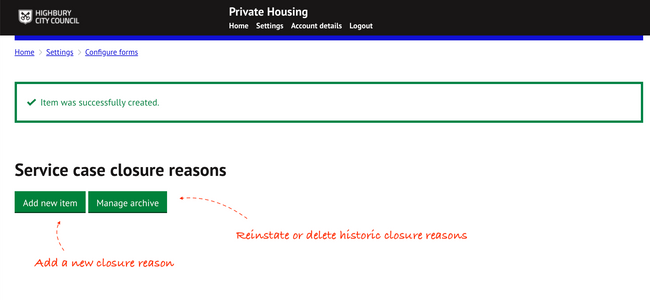
Select ‘Add new item’ to create a new closure reason.
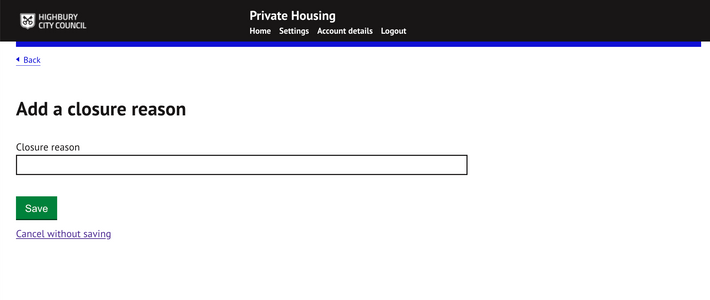
Enter the text for the new closure reason and press save.
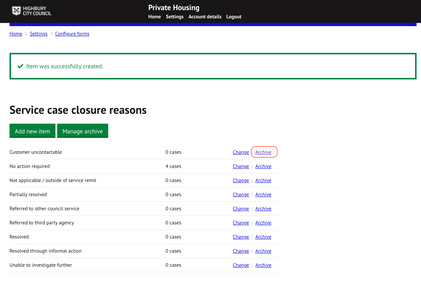
Confirmation of the creation of a new closure reason will be shown at the top of the closure reason list page. All closure reasons will be displayed here as they are created:
3. Edit an existing closure reason
To edit after saving, click on `Change’ from the closure reason list page against the item requiring changes.
4. Archive closure reasons
Archiving an item will make the closure reason historic and no longer be available for use by officers when closing a service case.
Click on ‘archive’ to remove a specific closure reason from use:
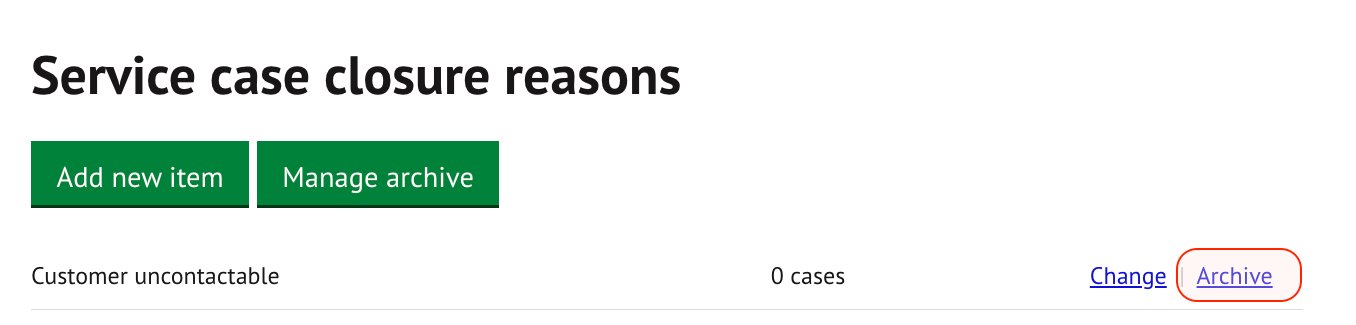
This will hide the closure reason from use by officers when closing a service case.
5. Restore or delete archived closure reasons
To restore or delete an archived category click on `Manage archive`.
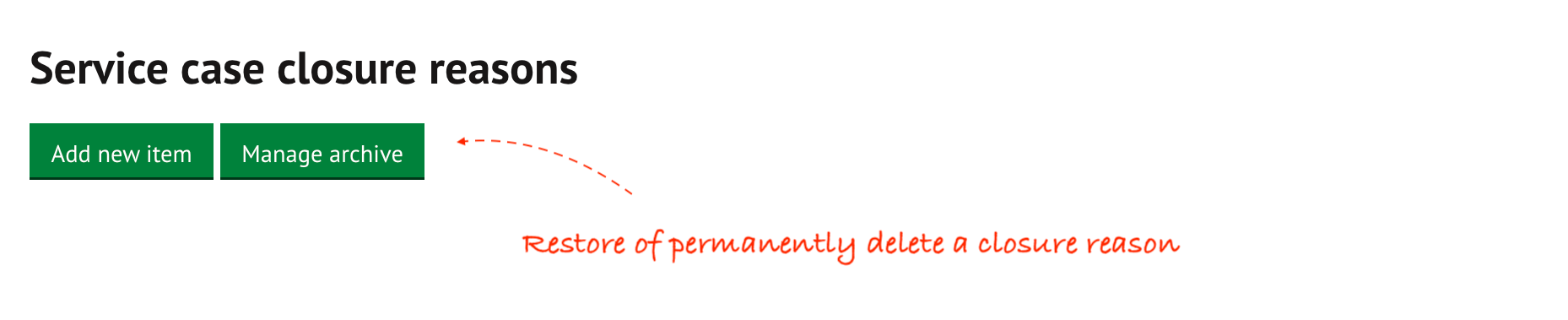
The following options are available for managing archived closure reasons.
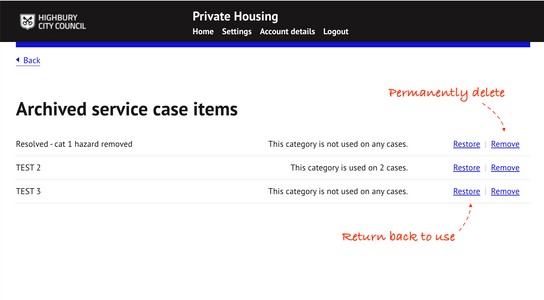
- Restore - Reactivate and return a closure reason back into use. This will make the closure reason available for selection when closing a service case.
- Remove - Delete a closure reason will permanently remove it. Closure reasons already in use cannot be deleted until unassigned from existing records where this is in use.
Was this article helpful?
That’s Great!
Thank you for your feedback
Sorry! We couldn't be helpful
Thank you for your feedback
Feedback sent
We appreciate your effort and will try to fix the article