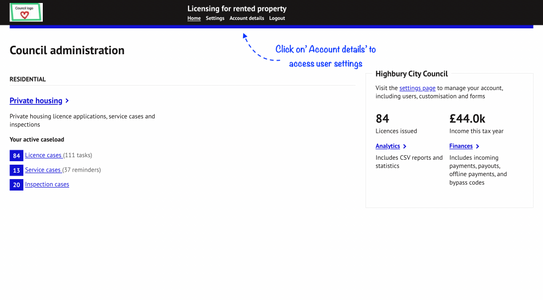
Officers can manage their user information by clicking on ‘Account details’ on the top banner of any screen:
All editable account settings will be shown:
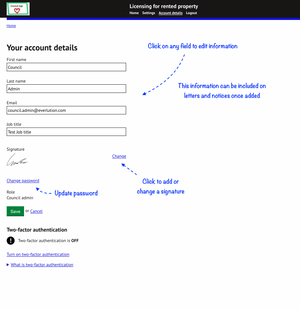
The officer signature and job titles can be added to notices and letters once they have been set up by a user.
- To add to update a signature details click on the ‘change’ link in the signature section.
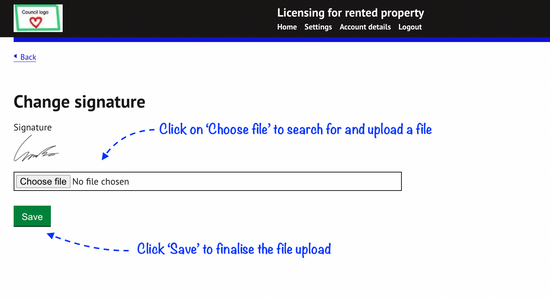
- Search for the file to upload and then save to finalise the file upload.
Was this article helpful?
That’s Great!
Thank you for your feedback
Sorry! We couldn't be helpful
Thank you for your feedback
Feedback sent
We appreciate your effort and will try to fix the article